







03-05-2025, 05:59 AM
File size: 132.2 MB
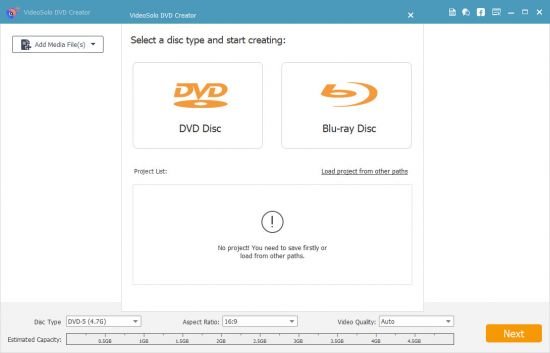
VideoSolo DVD Creator can convert almost all popular video formats including AVI, MPEG, 3GP, MP4, VOB, FLV, M2TS, MTS, TS, SWF, MKV, MPG, MPA, DAT, DV, NSV, MOV, QT, RMVB, DivX, DV, etc. to DVD disc/folder/ISO file. With this program, home-made movies or videos downloaded from online website can be burned into DVD. Besides, this program supports creating different DVD types, like DVD-5/9, etc.
Burn Virtually Any Video to DVD Disc Easily & Quickly with Great Flexibility • Create DVD disc, DVD folder or ISO file from various formats of videos • Support almost all popular video formats like AVI, MPEG, 3GP, MP4, etc.
• Choose and customize DVD menus
• Create switchable subtitles and audio tracks
• Adjust video brightness, contrast and more for a better visual experience.
• Preview your DVD project before burning
Stylize Your DVD with Preferred Menu and Background Music
It offers a variety of diversified and fabulous DVD menu templates for you to choose, such as holiday, family, wedding and more. After choose the menu template your like, you can edit the menu text content and define its font, size, color. What's more, you can set the background music, background picture and the opening film with your local music, picture and video file separately. Or if you don't need a menu, there's a "No Menu" option provided.
Customize Subtitles and Audio Tracks of the DVD
VideoSolo DVD Creator allows you to customize subtitle and audio track. That is to say, you can add subtitles and audio tracks to your DVD manually. For audio files, this program supports almost all popular audio formats so it is easy to import audio track into the software. And SRT, SUB, SSA and ASS are the supported subtitle file format. You are allowed to edit the audio volume and adjust the subtitle position so as to get a personalized DVD file.
Video Editing and Real-time Previewing Supported
VideoSolo DVD Creator is designed with a powerful video editing feature which makes it easy for both pros and beginners to create professional-looking DVD. It lets you adjust video effects, such as brightness, saturation, hue, volume and contrast. It also has the ability to trim the video length, crop video, change the aspect ratio, set position and transparency and add text or image watermark to the video. You can preview your DVD video before burning to ensure all goes as you want.
RELEASE NOTES
• official site does not provide any info about changes in this version
HOMEPAGE
https://www.videosolo.com/

https://rapidgator.net/file/785f1ee8e002...5a365e0d36