
+- Biggest Warez Community (https://warezload.net)
+-- Forum: WarezLoad Downloads (https://warezload.net/Forum-WarezLoad-Downloads)
+--- Forum: Ebooks (https://warezload.net/Forum-Ebooks)
+--- Thread: Copilot In Powerpoint: From Prompt To Presentation (/Thread-Copilot-In-Powerpoint-From-Prompt-To-Presentation)
Copilot In Powerpoint: From Prompt To Presentation - 0nelove - 02-08-2024
[center]
Released 2/2024
MP4 | Video: h264, 1280x720 | Audio: AAC, 44.1 KHz, 2 Ch
Skill Level: Intermediate | Genre: eLearning | Language: English + srt | Duration: 45m | Size: 105 MB
[/center]
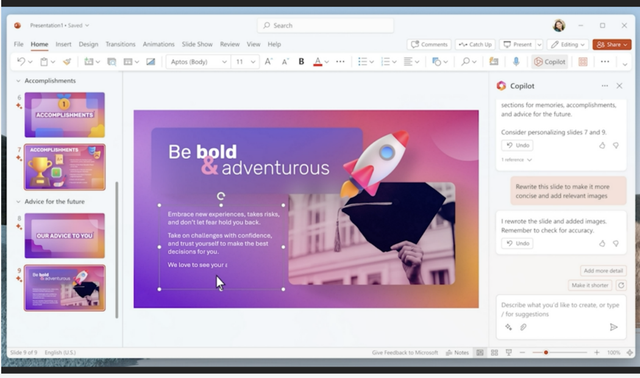
Microsoft 365 Copilot-a new AI-powered feature available for Microsoft 365 apps-can help you create, refine, and format professional-looking presentations in a matter of seconds. In this course, join Microsoft PowerPoint MVP Julie Terberg as she shows you how to use Copilot in PowerPoint from start to finish to craft a complete and compelling presentation.
Learn how to generate an idea and enter a prompt, directing Copilot to generate new slides specific to your topic. Discover how you can use Copilot to create a presentation from an existing document or from scratch. Julie offers insights on how to refine and customize the text and pictures generated by Copilot, as well as easy-to-apply tips and tricks on using Copilot to save you time in PowerPoint.
Homepage
Quote:Buy Premium From My Links To Get Resumable Support and Max Speed
https://ddownload.com/2h1oqx4a5m14/Copilot_in_PowerPoint_From_Prompt_to_Presentation.rar
https://fikper.com/YWYAFnTRzb/Copilot_in_PowerPoint_From_Prompt_to_Presentation.rar.html
https://filestore.me/4ahf5qu39anw/Copilot_in_PowerPoint_From_Prompt_to_Presentation.rar
https://rapidgator.net/file/d0a6d840a451ecd8cc9c5d7a77649af3/Copilot_in_PowerPoint_From_Prompt_to_Presentation.rar.html