
+- Biggest Warez Community (https://warezload.net)
+-- Forum: WarezLoad Downloads (https://warezload.net/Forum-WarezLoad-Downloads)
+--- Forum: Ebooks (https://warezload.net/Forum-Ebooks)
+--- Thread: Connect 4 Game Programming Course For Unity 3d (/Thread-Connect-4-Game-Programming-Course-For-Unity-3d)
Connect 4 Game Programming Course For Unity 3d - 0nelove - 06-30-2024
[center]
Last updated 3/2022
Duration: 8h | Video: .MP4, 1280x720 30 fps | Audio: AAC, 48 kHz, 2ch | Size: 4.32 GB
Genre: eLearning | Language: English[/center]
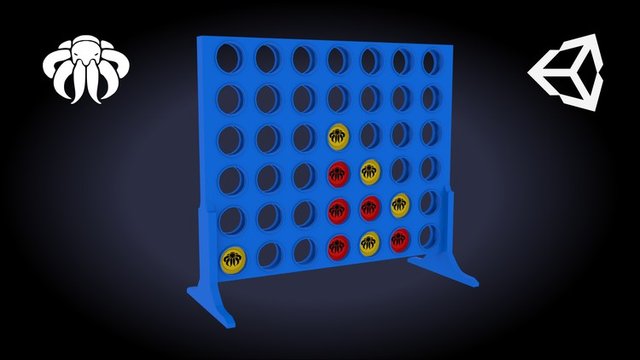
Learn how to create your own 3D Connect 4 Game using the Unity Game Engine.
What you'll learn
Learn how to create Connect 4 Game in Unity 3D
Learn to create turn based games.
Learn basic C#: for loops, foreach loops, int, string, float, functions, classes ...
Learn how to build AI in Unity using Minimax algorythm.
Requirements
Basic knowledge in Unity and C# is a plus, but not a must have.
Description
Connect 4
is a fun game that can be played with friends, family, and classmates. It's a game of strategy and luck. In this course, we'll learn how to create Connect 4 in Unity. We'll also go a little deeper and create an AI for the player to play against. Come join me on this journey to learn Connect 4!
This course is a Beginner/Intermediate course
, so if you have trouble in any case, write me a message or Q&A, and i'll help as best as i can.
If you are beginner,
you might have some trouble to follow, but the videos will guide you through the complete course.
Don't forget: You only become better if you repeat things and keep on learning!
Unity (2021) Course Content
You will learn to create a new 3D Project in Unity and set up everything needed
I will show you how you to setup the playfield and create the game mechanics.
I will show you to interact with the game board and drop coins into it
We create a beautiful game menu
C#
We take a look into coding basics like: int, float, string, bool, for-loops, foreach-loops, 2D Array, List ...
We will put in functionality with scripts using Visual Studio Code and C# (
you can use any other IDE
)
Also we implement create a 1 vs 1 Player game first, so the main game is working
We create an AI using Minimax Algorythm with Heuristic board evaluations (
Intermediate
)
Course Material
3D Model Connect 4 Board
2x 3D Model Coins
Some Checker Texture
Buttons and a Background 2D Sprite to create a beautiful Connect 4 Menu.
You have to write the code on your own,
i do not provide the final scripts!
All other graphics for Menu's, Icons, Images or Buttons need to be created on your own.
All Materials i provide are for education only and should not be in your final release!
Conclusion
In the end of this course you will have a fully functional
Connect 4
3D Game.
Challenge
After you have created nice Menus, Buttons, and maybe additional content, upload the Game to any Gaming Website like: itch io, Google Playstore, Apple Store or even Windows Store or Steam.
So what are you waiting for?
Let's make your dream game a reality!!
Who this course is for
Unity and C# beginners.
C# intermediates to learn Minimax algorythm.
Homepage
Screenshots
Quote:https://rapidgator.net/file/22bc7c13fbc922ec5100a7195d6da1e6/connect-4-game-programming-course-for-unity-3d.part5.rar.html
https://rapidgator.net/file/c2c3b5e39e5221f6696ee83355c97a0a/connect-4-game-programming-course-for-unity-3d.part4.rar.html
https://rapidgator.net/file/965db590fc07c90646cf8d5e5f2af2a4/connect-4-game-programming-course-for-unity-3d.part3.rar.html
https://rapidgator.net/file/6fa9770d9f51947687d638cc60be6984/connect-4-game-programming-course-for-unity-3d.part2.rar.html
https://rapidgator.net/file/a10765137533d9f73e084ee7dfa616fc/connect-4-game-programming-course-for-unity-3d.part1.rar.html
https://nitroflare.com/view/22013269E403D32/connect-4-game-programming-course-for-unity-3d.part5.rar
https://nitroflare.com/view/351E20948C0C83B/connect-4-game-programming-course-for-unity-3d.part4.rar
https://nitroflare.com/view/9397237E4DC4D4F/connect-4-game-programming-course-for-unity-3d.part3.rar
https://nitroflare.com/view/A5AF5E69A1F28D3/connect-4-game-programming-course-for-unity-3d.part2.rar
https://nitroflare.com/view/51516601251DDC4/connect-4-game-programming-course-for-unity-3d.part1.rar
https://filestore.me/thrav2n5skzc/connect-4-game-programming-course-for-unity-3d.part5.rar
https://filestore.me/7dzl71wow500/connect-4-game-programming-course-for-unity-3d.part4.rar
https://filestore.me/fwzqa9f2akun/connect-4-game-programming-course-for-unity-3d.part3.rar
https://filestore.me/61ueh68sxl9i/connect-4-game-programming-course-for-unity-3d.part2.rar
https://filestore.me/r0kbmg2y5qd6/connect-4-game-programming-course-for-unity-3d.part1.rar