
+- Biggest Warez Community (https://warezload.net)
+-- Forum: WarezLoad Downloads (https://warezload.net/Forum-WarezLoad-Downloads)
+--- Forum: Softwares (https://warezload.net/Forum-Softwares)
+---- Forum: Windows Software (https://warezload.net/Forum-Windows-Software)
+---- Thread: Music By Mattie magic CURVE 1.0.2 (/Thread-Music-By-Mattie-magic-CURVE-1-0-2)
Music By Mattie magic CURVE 1.0.2 - Emperor2011 - 07-11-2026
Music By Mattie magic CURVE 1.0.2 | Size: 5.67 MB
Language: English
Auto vocal EQ, matched to the hits
I spent months measuring 3,054 hit vocals to find where the records actually sit. magic.CURVE EQs your vocal toward that balance - in real time, one knob.
What I built
Your tone measured live against real hit vocals
Targets I built from 3,054 Billboard vocal stems
One AMOUNT knob moves you toward the hit pocket
You see the exact EQ it applies, in real time
Not a preset. The actual tonal balance of the hits.
I separated the vocal stem from every Billboard hit I could get, then measured and bias-corrected each one. That's what the targets are. When you turn AMOUNT, you're moving your tone toward where the records actually sit.
I did the measuring.You turn one knob.
Everything you need to get your vocal's tone into the same neighbourhood as the records - fast.
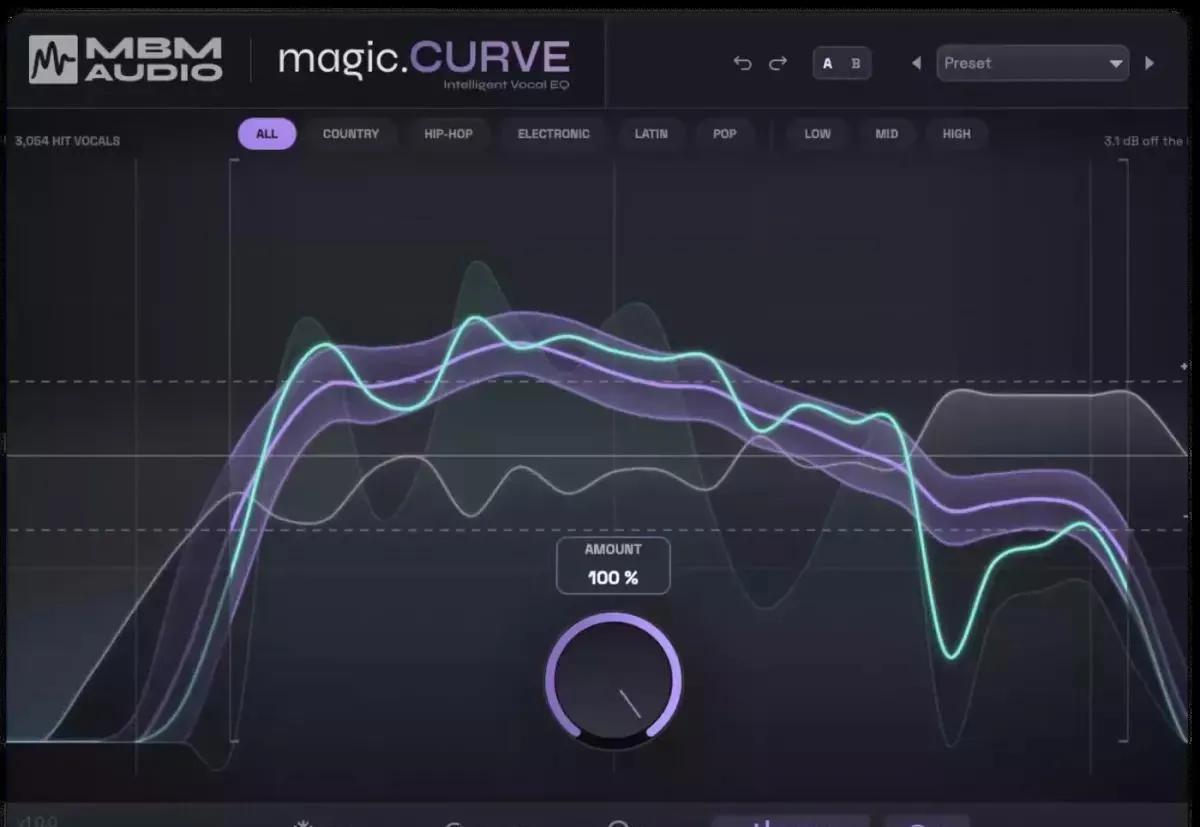
The mint line is your vocal, live
Play and watch your tone move toward the hit pocket in real time - no static curves to draw.
The purple band is the hit pocket
Where the 3,054 hit vocals sit for your chosen target: six genre lanes, three voice registers.
You can see the EQ
The actual correction it applies is drawn on the same display. Nothing hidden.
AMOUNT is the one knob
Pick a target, turn AMOUNT to taste. Zero-latency, drop-in easy - no EQ degree required.
How it works
Pick a target, turn AMOUNT. The display shows your vocal (the mint line) against the hit pocket (the purple band) so you can see exactly how close you are.
1 Drop it on your vocal
Zero-latency, so it goes straight onto your vocal chain in any DAW.
2 Pick a target
Choose a genre chip or your singer's voice type. Leave it on All Hits if you're not sure.
3 Turn AMOUNT
Raise AMOUNT (start around 50%) until your line settles into the band. A/B against bypass - you're done.
Genre targets
All Hits · Country · Hip-Hop · Electronic · Latin · Pop
The tonal balance of hit vocals in that style. All Hits is the broad average across everything.
Voice type targets
Low · Mid · High
Your singer's register. Best on sung vocals. One target at a time - picking a voice type clears the genre, and vice-versa.
System requirements
macOS
macOS 11 (Big Sur) or later
Intel & Apple Silicon (Universal Binary)
AU, VST3 & AAX
Minimal CPU & RAM usage
Windows
Windows 10 or later
64-bit (x86_64)
VST3 & AAX (Pro Tools)
Minimal CPU & RAM usage
HOMEPAGE:
Code:
https://musicbymattie.com/magic-curveFREE DOWNLOAD LINKS:
https://rapidgator.net/file/1f48819c0ca4b15f6733af2d68d30f37/Music_By_Mattie_magic.CURVE_1.0.2.rar
https://nitroflare.com/view/DF9E15F97B2C4EE/Music_By_Mattie_magic.CURVE_1.0.2.rar