







11-19-2024, 03:48 PM
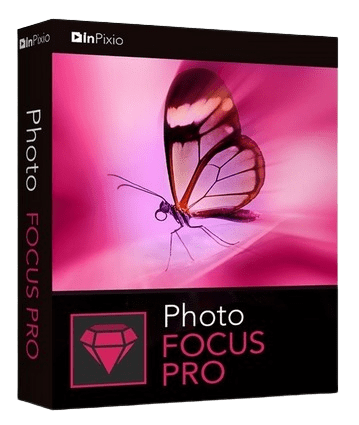
Languages: Multilingual | File size: 302 MB
It's not always possible to prevent blurred photos - especially when taking quick snapshots. Photo Focus provides all the tools you need to create clear, crisp and high-resolution photos. Enhance the depth of focus of your images by adding sharpness, soft focus and blurring and establishing a clear distinction between the image background and the image center. As a result, you can highlight the important details in your photos.
Improve the sharpness of your photos
- Improve the sharpness of your photos
- Simple 1-click sharpening tool
- Reinforce & accentuate the focus
- Includes Tilt-Shift & Artistic Blur effects that bring the subject of the photo to life!
ONLY IN THE PRO VERSION
- Create professional looking photos with oval frames (vignetting)
- Add customised artistic blur to achieve the perfect finish
- Save personal presets that can be used in a single click for future projects
Improve sharpness
Getting sharp photos is not always easy - especially with spontaneous snapshots. InPixio Photo Focus solves this problem in a flash and creates clear, high-resolution images.
Increase focus
You can add sharpness, soft focus and blurred areas to your images. This helps you to further accentuate the difference between the background and the sharp centre of the image.
Refocus
Not all images are always correctly centred. Redefine the centre of your images and focus the attention towards the centre of the image.
Impressive effects with tilt-shift and soft focus functions
Add horizontal soft focus (tilt-shift) to your images. This creates fantastic miniature effects that allow the focal object of your image to look like miniature!
Create structure and details
Emphasise the finest details in your images. Manage contrast and clarity - for impressive and detailed photos!
Resharpening
You can get so much more from all your photos! Even the sharpest photos can be resharpened - for perfect prints or an extremely sharp impression!
Simple
During the development stage of InPixio Photo Focus, particular attention was given to making sure the software is easy to use. The programme is intuitive and helps you through with the various 1-Click Assistants. If you need help when using the software, there are tool tips offering brief explanations next to each function.
Only in the Professional Version
MORE! Creative Blur
Add a selected blurred area to your image through iris blurring (only available with PRO version). In photography, this effect is achieved through maximum fade-in.
MORE! Add Presets
Store your personal optimisation settings (presets) Create and save your own presets with 1 click for future use.
MORE! Vignetting module
Add oval picture frame to your photos to (vignetting) Create atmospheric shots from your photos with an oval picture frame in black or white. You can select the transparency of the frame to suit your taste and choose sharp or blurred transitions.
What's New in Version 4
NEW! Advanced cropping module with rotation and horizon correction
Crop your photos manually or choose from the suggested crop formats: 1/1; 16/9; 3/4 etc. You can also rotate your images and adjust the angle.
NEW! Tone Curves Module
Play with the tone curves to obtain light or dark hues and adjust the RGB (Red, Green, Blue) curves one by one.
IMPROVED! interface and workspace
The new version has an attractive, ultra-modern user interface designed for even easier use.
NEW! Find tutorial videos for each Photo Focus module
To get the most out of Photo Focus features, mini videos have been added to each of the software program's modules in the form of tooltips, making it easier and more effective to use.
System Requirements
- Windows 7, 8, 10, 11 (32-bit & 64-bit)
- Intel® Pentium® 1 GHz processor or equivalent
- 2 GB of RAM - (4 recommended)
- 500 MB of free disk space, mouse and keyboard
Screen :

What's New
Code:
official site does not provide any info about changes in this version.HOMEPAGE
Code:
https://www.avanquest.com/UK/software/inpixio-photo-focus-professional-502531?meta=art-design&cat=photo-editing&sub=noise-reductionBuy Premium Account From My Download Links & Get Fastest Speed.
Code:
https://filestore.me/szl78ck5psu6/Photo.Focus.Pro.4.3.8623.22320.0.64Bit.rarCode:
https://rapidgator.net/file/0b5b82403bbc006c90e61d29e1c22e58/Photo.Focus.Pro.4.3.8623.22320.0.64Bit.rar.html Follow my Unique updates in my Website : downtopc.com