







2 hours ago

File size: 264 MB
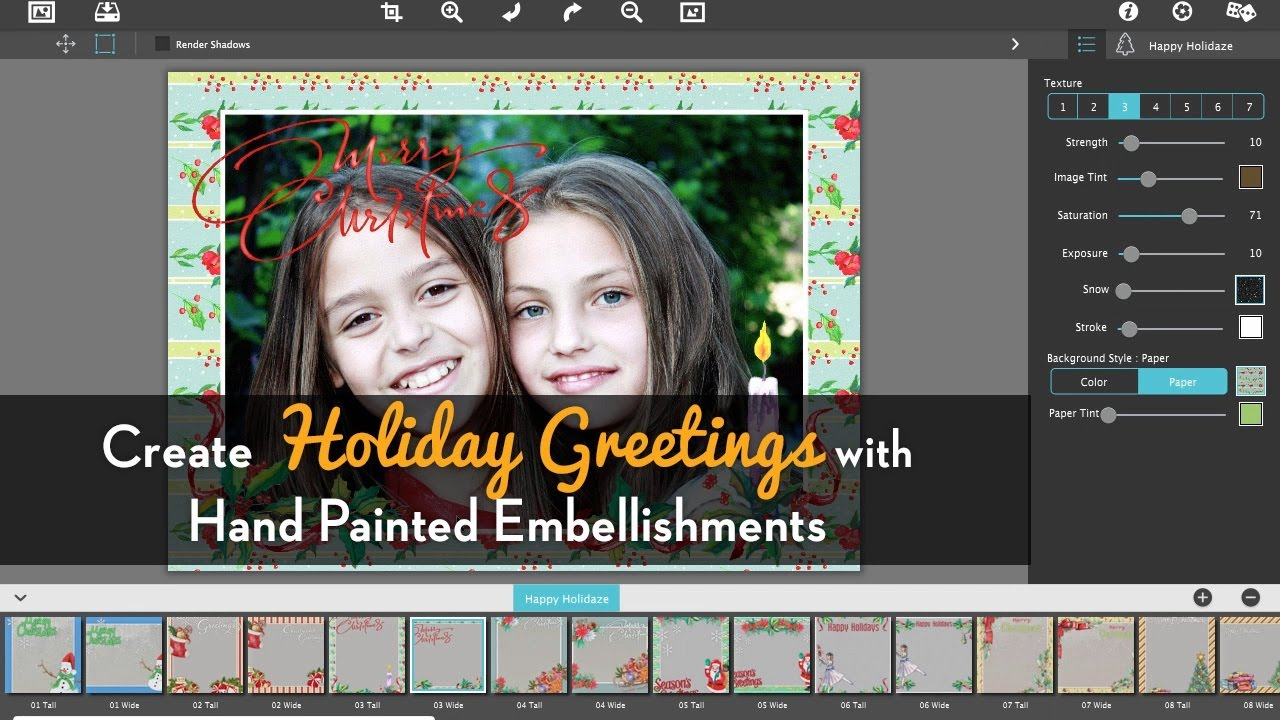
Turn a favorite photo into a holiday card. Choose a festive paper, tuck in a hand-painted keepsake, and add a greeting in your own words.
Make your first photo card
Start with a photo you love. A preset brings in the paper, decorations, and greeting together. You can move or change each part before you send it.
1. Open your photo
Click Get Photo to open a photograph, or drag one into the editor. A little space around the people in the picture leaves room for a border and a greeting.
2. Choose the occasion
Open Presets below the canvas. In Christmas, click Tree Farm to add a wagon of evergreens and a Merry Christmas greeting. Try the other collections for birthdays, spring cards, or family celebrations.
3. Arrange your card
Choose Background in Layers to reposition the photo. Select a decoration to drag it to a corner, or double-click the greeting to change the words.
4. Save the card and reuse the design
Choose Save for an image to print or share. Use Save Preset to keep the layout, artwork, and editable greeting for another photo.
Frame the photograph
Select Background and open Photo Mat in the Scene controls. Pick a style, then adjust its opening, outer edge, or the widths of up to three mats. Increase Caption Space to leave a wider margin under a portrait.
For patterned paper behind the photo, choose Paper under Background Style. Use Paper Tint to bring its colors closer to the picture. For a winter card, choose a Snow pattern and adjust how much falls across the photo.
Arrange the illustrated shapes
Open Shapes below the canvas and choose an occasion. Click an illustration to add it on its own layer. These details from finished cards show four ways to place it.
- Overlap the mat
The wagon in Tree Farm sits partly on the grass and partly on the striped border. Drag a corner handle to size a decoration to the edge of your photo.
- Hang a border
In Bunting Frame, a bow and a swag fill the space above two dogs. Position hanging decorations along the mat so the faces stay clear.
- Balance two corners
Robins Nest pairs a tall birdhouse with a small nest across the fountain. Give one shape more room and use the second as a quiet accent.
- Build a foreground
The gate in Moonlit Boo brings the lanterns and ghosts in front of the portrait. When two pieces overlap, drag their rows in Layers to choose which sits in front.
Design a greeting with the Text Layer
A single text layer can hold a headline, colored paper edges behind the letters, and a second message on a ribbon. Double-click the lettering to change the words.
Write and shape the headline
Click a style in the Text library below the canvas. Double-click the new greeting to type your own words. Press Return for a second line. Choose a Font and Shape, then adjust Bend and Spacing to fit the lettering over your photo.
Build up the letters
Use Outline to keep thin letters legible on a busy photo. Give the lettering a Backdrop, or add bands of color with Layer 1, Layer 2, and Layer 3. The gold handles on the selected lettering let you change its curve, spacing, and thickness on the canvas.
Add a sign-off
Type a family name, date, or short wish in Ribbon. Choose Its Curve and Its Ends to shape that line independently. For two messages in different corners, add a second text layer from the library.
System Requirements: Windows 10 or later on x64
Screen :
What's New
Code:
https://jixipix.com/HOMEPAGE
Code:
https://jixipix.com/downloads.htmlBuy Premium Account From My Download Links & Get Fastest Speed.
Code:
https://nitroflare.com/view/CF76B821E8DFC77/JixiPix_Happier_Holidaze_1.0.0.rarCode:
https://rapidgator.net/file/b582a88f9e475665a59c18309bc2383f/JixiPix_Happier_Holidaze_1.0.0.rar.html Follow my Unique updates in my Website : downtopc.com