







11-11-2023, 09:24 AM

Windows (x64) | File Size: 1.52 GB
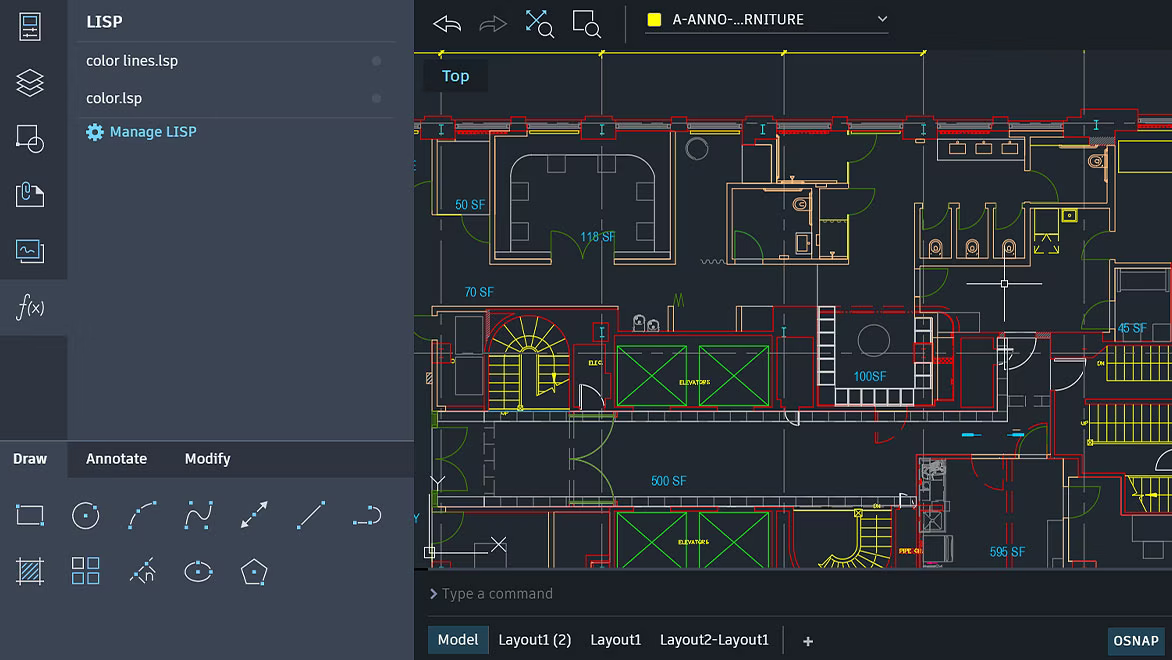
AutoCAD Plant 3D is used for the design of process equipment, pipelines and instrumentation of industrial enterprises, as well as for the release of documentation. At the disposal of technical designers and designers - the ability to create the most advanced 3D projects in the familiar AutoCAD environment.
Specification-driven design capabilities and a library of standard components streamline the design and layout of piping, process equipment, and support elements. Built-in AutoCAD P&ID features allow you to create and edit piping and instrumentation diagrams, and then coordinate the data with a 3D model. Based on the 3D model, you can create isometric and orthogonal drawing views.
New opportunities
- 2D Drawing Specifications
The 2D Drawing Table Setup dialog box has been changed. It now provides simplified options and additional table options for 2D drawings.
- Specs and catalog editor improvements
Improved editing functionality for parts and properties in the specs and catalog editors.
- Improvements to the pipe spec viewer
Ability to view all parts for a specific size in a selected spec. You can use the search box to search for specific components in the Tube Specs Viewer.
- 2D Single Line Piping Improvements
2D Single Line Piping has been improved, including a new interface to more effectively control how pipelines are displayed in Single Line View.
- Uncheck out in a shared project
Uncheck out multiple drawings from an entire project or from a specific folder in a shared project.
treatment procedure
Install Autodesk AutoCAD Plant 3D 2024 ( Setup.exe file ).
Run the AdskNLM.exe file from the Crack folder and wait until the message "Cracking complete. Enjoy!" appears.
Launch the installed application. In the license type selection window, click "Use a network license".
Enjoy the registered version of the product!
System requirements
• Autodesk AutoCAD 2024 pre-installed with the same language as the Plant 3D Addon being installed
• 64-bit version of Microsoft Windows 10 (version 1809 or later), Windows 11
• 2.5-2.9 GHz processor (recommended) 3 GHz or faster)
• 8 GB RAM (32 GB recommended)
• 2 GB VRAM 29 GB/s video adapter with DirectX 11 support (8 GB and 106 GB/s with DirectX 12 support recommended) • 1920x1080 s display
resolution True Color (up to 3840x2160 recommended for high resolution and 4K displays)
• 12 GB free disk space (SSD recommended)
• .NET Framework 4.8 or higher
Optional for 3D modeling and large amounts of data
• 32 GB RAM minimum
• 6 GB free disk space (not including space required for installation)
• Workstation class video adapter with 12 GB VRAM or higher, 3840x2160 (4K) display resolution or higher, True Color, Pixel Shader 3.0 or higher, and DirectX
Screen :
What's New
Code:
- The assembly is based on the original Russian and English distributions combined into a single package, from which everything that is not directly related to the installation of the Plant 3D add-on has been removed.

- For a modern installer, a solution was developed and implemented to select the interface language of the installed program.

- The interface language of the installer itself is set based on the OS interface language.

- Autorun of the Autodesk Access module will be disabled in the program installed from the assembly.

- The Autodesk Access Service Host service will be disabled in the program installed from the build.

- The AutoCAD Plant 3D 2024.1.1 Update has been integrated into the installation package.

- Autodesk On-Demand Install Service module has been updated from version 1.37.2.32 to version 1.43.0.186.

- The installer has been updated from version 1.37.2.6 to version 1.43.0.11.

- Everything needed for treatment, including detailed instructions, is located inside the image in the Crack folder.
HOMEPAGE
Code:
https://www.autodesk.com/Code:
https://rapidgator.net/file/a1fb867c7843701f1ffd7849061072d0/Plant_3D_Addon_for_Autodesk_AutoCAD_2024.1.1_(x64).rar.htmlCode:
https://ddownload.com/p8u4ai45b3or/Plant_3D_Addon_for_Autodesk_AutoCAD_2024.1.1_(x64).rar Follow my Unique updates in my Website : downtopc.com